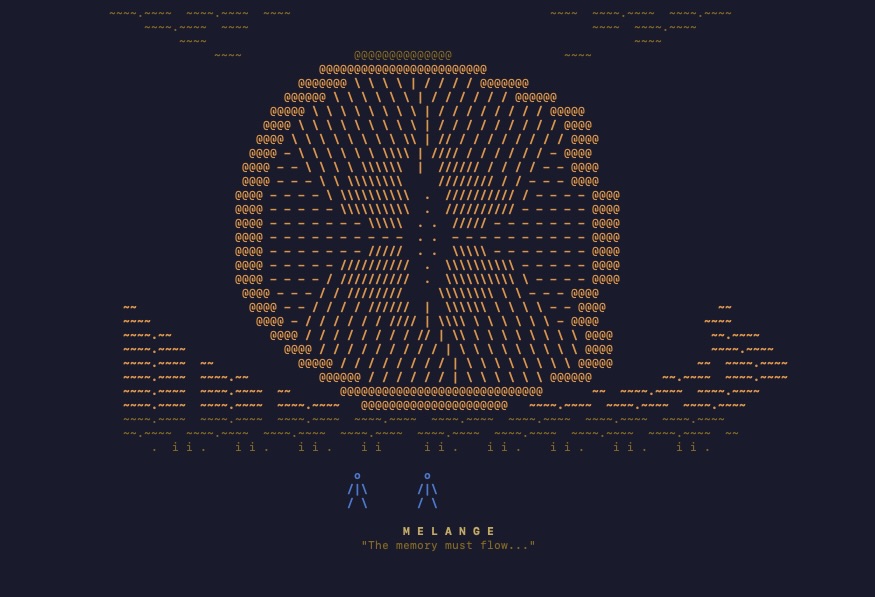
“Thou shalt not make a machine in the likeness of a human mind.” — Orange Catholic Bible, Dune
THE DUNE CONNECTION – INSPIRATION FOR MELANGE
I was gifted all six Dune books years ago as a Christmas gift. They traveled with me unread through three apartments, collecting dust. At the start of 2026, I finally cracked open the first one — all 900 pages — and blew through it in less than a week. Frank Herbert wrote something that is more relevant today than when he published it in 1965.
The entire Dune universe takes place over 10,000 years after the Butlerian Jihad — a century-long war between humanity and thinking machines. Humanity won at a great cost – billions died across the universe, leaving a permanent scar. All thinking machines were destroyed, and then banned — forever. The only way to navigate deep space was with the Spice Melange, a substance that granted prescience to Guild Navigators, replacing the god-like AI that once did it for them. Ten thousand years later, the commandment still holds: thou shalt not make a machine in the likeness of a human mind.
I finished the book and immediately started building agentic AI systems. The irony was not lost on me.
THE PROBLEM
January 2026. I am in Brazil, armed with a MacBook Pro M3, and my dual RTX 3090 AI server is offline back home. GLM 4.7 drops. Twitter loses its mind. I watch the benchmarks, the tool-calling success metrics, everyone running the model — and I am sitting here unable to do anything about it.
I gave in and attempted to run a local agent on the MacBook. I got a Qwen model running through Cline and had it build a snake game. While everyone else was benchmarking the hottest open-source release of the year, I was playing Snake.
That moment crystallized the problem. When you run local LLMs on Apple Silicon, there is no single tool that tells you: what fits, how much headroom you have, and what is going to break. You are left guessing. How much unified memory does the OS actually need? How does KV cache scale at 32k context vs 128k? What inference engine bugs exist for the model you want to run? Nobody tells you this upfront. You learn it the hard way, one OOM error at a time.
When I landed back in the States and fired up the GPUs, I started building the tool I wished I had on that MacBook.
MELANGE
I knew three things before writing a single line of code: it would be a terminal tool, it would be built in Rust, and it would look like Dune.
The design came first. Fremen blue, Harkonnen red, deep gold-orange like the spice itself, and text rendered as if carved into desert stone. I built Melange using Claude Code as my implementation tool — I designed the architecture, made every product decision, and iterated on the UX. Claude Code translated it into Rust. The theme came together almost immediately, and from there, the rest followed.
Why a TUI? The terminal has had a resurgence — partially because of tools like Claude Code, partially because of the simplicity it offers. I wanted Melange to feel familiar to anyone who uses the terminal daily: clean displays, simple keybindings, no browser required. A complex topic — memory analysis for local AI — delivered through a simple interface.
Why Rust? Honestly, I had never written Rust before. But the TUI ecosystem in Rust is mature (Ratatui, Crossterm), Rust compiles to a single binary with no runtime dependencies, and it felt right for a tool that lives entirely on your machine. No Python virtual environments, no node_modules — just download and run.
HOW MELANGE WORKS
Melange reads the model directories you point it to and parses GGUF binary headers directly — no API calls, no internet required for the core analysis. It pulls out everything it needs from the file metadata: parameter count, architecture type (Dense vs MoE), quantization format, attention head configurations, and layer count.
Part 1: System Overview

The top panel shows your memory reserves on the left and system hardware on the right. Total RAM, OS overhead (typically 4-6 GB), and available memory for inference. On the right: CPU, core count, disk space, and memory bandwidth.
Understanding your hardware is no longer optional for running local AI. The space has matured past the point where you can download a model from Hugging Face and hope for the best. You need to know what you are working with. Melange puts it in front of you immediately.
Part 2: Model List

Your local models are displayed with the information that actually matters: parameter count, architecture type (MoE vs Dense), quantization format, inference engine warnings, and fit status — how tight the model sits in your available memory. Melange also detects Ollama models automatically, since a large portion of the local AI community uses Ollama as their primary interface.
I kept the columns minimal on purpose. These are the essentials for making a decision about which model to run. Simple is always best.
Part 3: Model Deep Dive

Select any model and Melange shows you the projected memory usage across context window sizes. This is the core of the tool.
It is one thing to know a model requires 18 GB to load its weights. It is another thing entirely to understand what happens to your memory when you scale the context window from 4k to 8k to 32k to 128k. The KV cache grows with every token in your context, and on memory-constrained hardware, this is what kills you.
Melange calculates KV cache cost per token using the model’s actual attention head configuration — including Grouped Query Attention, where KV heads are fewer than query heads, and Multi-Latent Attention for architectures like DeepSeek. The projected memory at each context length accounts for model weights, KV cache, and runtime overhead.
I capped the context projection at 128k. Most users will not push beyond that on Apple Silicon, and in my experience with agentic work, the KV cache penalty magnifies sharply past 96k even with flash attention enabled.
Part 4: Engine Warnings

This was a late addition that significantly increased the scope of the project. Melange pulls known issues from inference engine repositories on GitHub and cross-references them with your models. This is the only part of Melange that requires an internet connection.
The reality of running local LLMs breaks down into two problems: hardware and inference engines. Hardware is the easier one — you have what you have. Inference engines are a different story.
The cycle goes like this: a new open-source model drops, everyone rushes to run it, issues surface within days, the engine maintainers work on fixes, and stability arrives weeks later. Then the next model drops and the cycle repeats.
For example, at the time of writing, there is a token reprocessing bug in llama.cpp affecting the Qwen 3.5 family. The model still runs — but after about 10,000 tokens, inference slows noticeably, even with flash attention enabled. This is not a KV cache problem or a hardware problem. It is an engine bug. Without knowing it exists, you would waste hours debugging the wrong thing.
Melange surfaces these issues before you run the model. Press ‘w’ in the model view to see the full list of engine warnings.
Part 5: Catalog

The catalog view lets you browse all your local models and see at a glance which ones fit your hardware and which engines support them. In future releases, I want users to be able to install models directly from this view — select a model, see how it would fit, choose an engine, and pull it down.

WHAT IS NEXT
Melange is open source and available now for macOS. Here is what I am working on for future releases:
– Model installation directly from the catalog view
– Real-time engine issue tracking on the TUI
– KV cache quantization projections — with techniques like Google’s TurboQuant compressing KV cache down to 3-bit with no accuracy loss, showing the memory savings from FP16 to FP8 to sub-4-bit will be critical
– Real-time inference monitoring with the Dune UI theme
– Linux and Windows support
I built Melange because I wanted the tool I did not have when I started running local LLMs. If it saves you from one OOM error or one afternoon debugging an engine bug you did not know about, it did its job.
Install with one command:
curl -fsSL https://raw.githubusercontent.com/zacangemi/melange/main/install.sh | bash
GitHub: https://github.com/zacangemi/melange
Feedback is welcome — reach out anytime.